
SOS Alerts
Emergency alerts raised by riders and drivers from an active ride, with the booking, who raised it and when, and a place to record how it was resolved.
Admin → Operations → SOS alerts ("Emergency alerts raised during rides") collects every SOS sent from the apps. The sidebar shows a live badge with the number of active alerts, so a new alert is visible from any page.
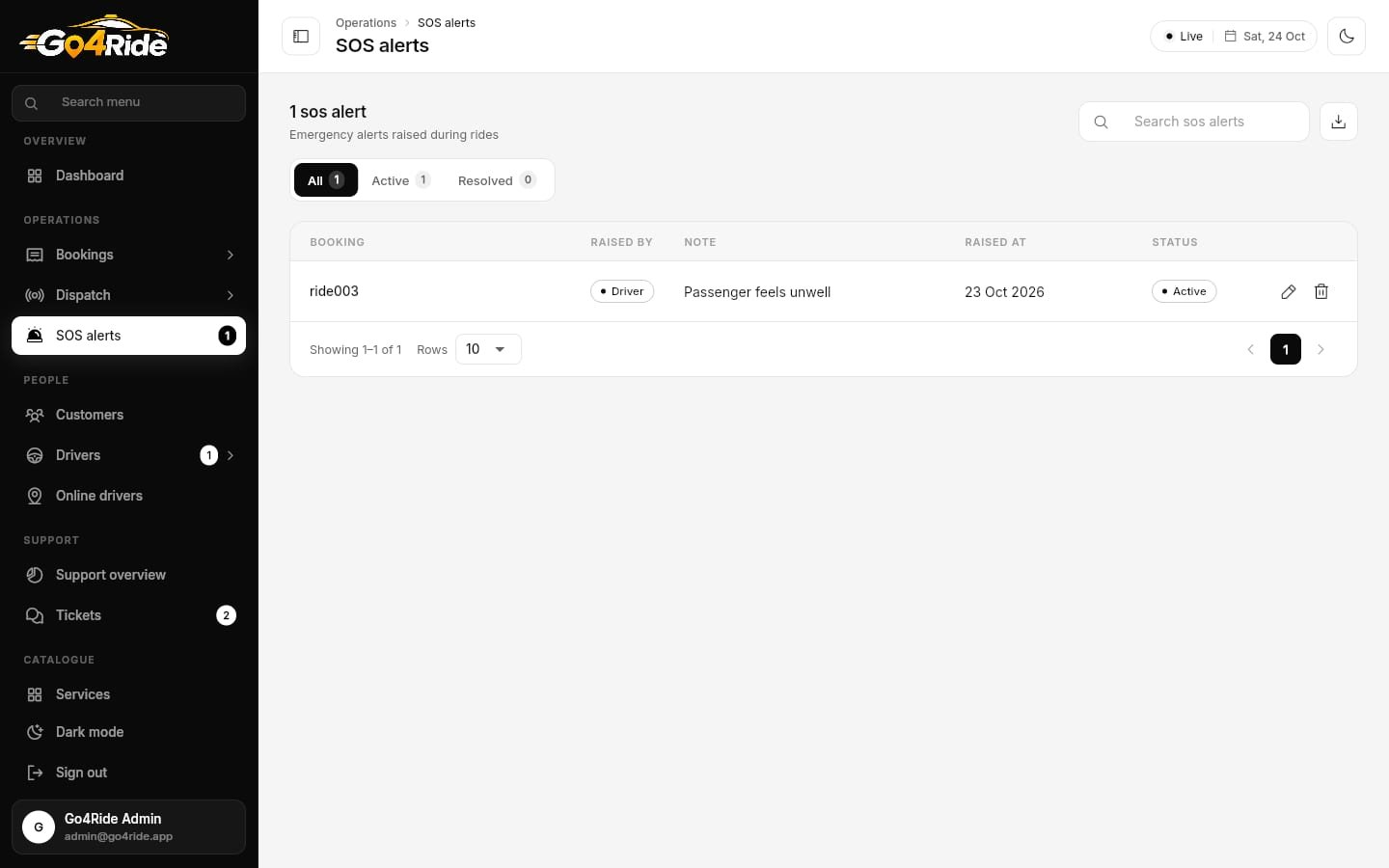
Alerts are stored in the sos_alerts collection, newest first.
How an alert is raised
| App | Where | What happens |
|---|---|---|
| Customer App | SOS button on the ride screen | Confirm "Send SOS alert? Our safety team will be alerted with your ride and current location." The alert is saved with the rider's uid, the ride, the location and the note "SOS raised by rider from the ride screen". The rider then sees "Alert sent" and a Call {emergency number} button |
| Driver App | SOS on the trip panel | Saved with the driver's uid, location and ride |
The emergency number shown in both apps comes from Settings → App settings → Emergency phone number (default 112). See General & App Settings.
Filters and table
Filter tabs: All / Active / Resolved, each with a count. Search by booking id, and Export CSV.
| Column | Shows |
|---|---|
| Booking | The ride id the alert belongs to |
| Raised by | Customer or Driver |
| Note | The message saved with the alert |
| Raised at | Date |
| Status | Active or Resolved |
Resolve an alert
Open it
Click the row or the pencil. Booking, Raised by and Note are read-only.
Act on it
Look up the ride in Bookings (search by the booking id) to see the rider, driver, vehicle and route, and call them. Contact local emergency services if needed.
Record the outcome
Set Status to Resolved and write Resolution notes (e.g. "Called rider, false alarm, trip completed safely"). Click Save changes. The badge count drops.
Delete an alert with the trash icon only if it was a test.
Who can work alerts
Security rules let admin, staff and dispatcher accounts update alerts, so a support role can resolve them. Give your support role the sos_alerts permission (the default Support role has it). Only an admin can delete an alert. See Roles & Permissions.
Next: Support Tickets →