
Search, Categories & Nearby
How users find ads in the app with the search screen and its filters, the category list and category pages, saved searches and the Nearby Ads screen.
All these screens are open to guests. They read the categories you manage in Ads Listing → Categories (Categories) and only list approved ads.
Search
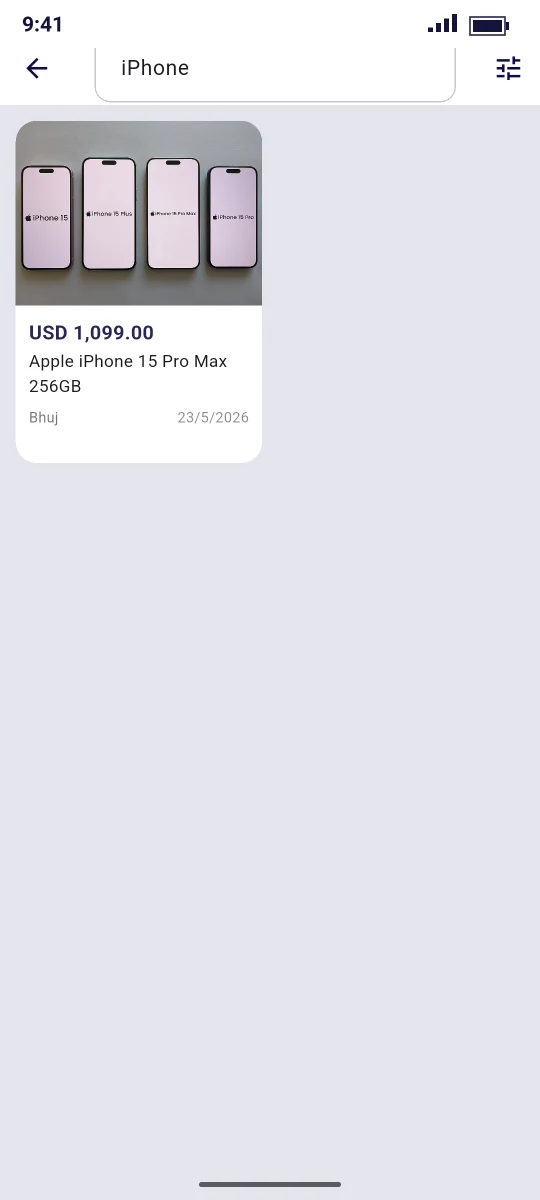
Route /search, file lib/features/ads/screens/search_screen.dart. It opens from the search bar on Home (empty query) or from a category's All in … row (with category_slug).
| Element | Behaviour |
|---|---|
| Search field (app bar) | Search…. Press the keyboard's search key to run the query |
| Filter icon (tune) | Opens the Filters sheet |
| Results | Grid of ad cards. Empty result: No listings found |
Each search calls GET /ads with up to 30 results (per_page=30):
| Parameter | From |
|---|---|
q | The search text. The API matches all words against the title and description |
category_slug | Set when the search was opened from a category |
condition | Filter sheet |
price_min, price_max | Filter sheet, in normal currency units (the API converts to minor units) |
sort | Filter sheet |
Filters sheet
| Group | Options |
|---|---|
| Sort by | Relevance, Newest, Price ↑ (price_asc), Price ↓ (price_desc), Most viewed (most_viewed) |
| Condition | Any, new, used, refurbished |
| Price | Min price, Max price |
Apply filters closes the sheet and runs the search again. Relevance and Newest both use the API's default order: featured ads first, then the newest.
Categories
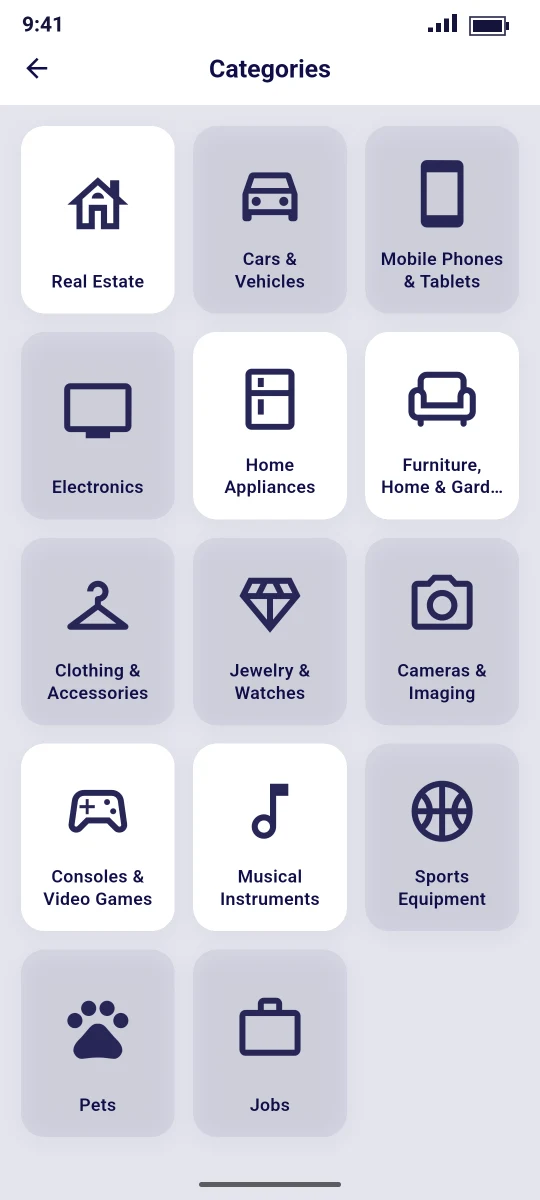
All categories
Route /categories, opened by View all next to Popular Categories on Home. It shows the root categories from GET /home with their icons. Tap a category to open it. If there are none: No categories yet.
Category page
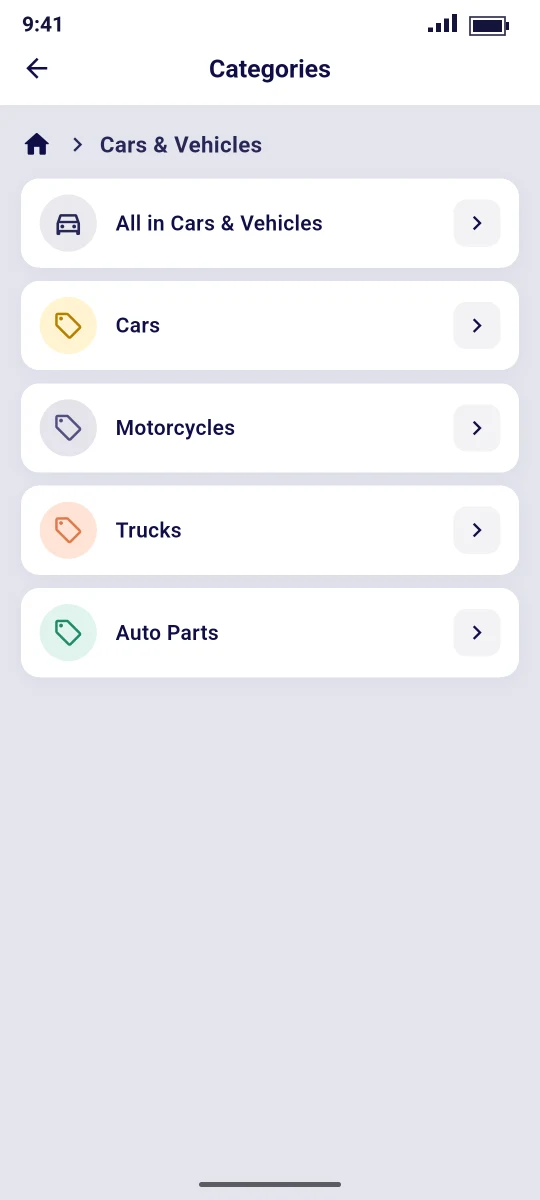
Route /category/:slug, file lib/features/ads/screens/category_screen.dart. It loads GET /categories/:slug:
| Category type | What the page shows |
|---|---|
| Has subcategories | A breadcrumb, an All in … (for example All in Vehicles) row (opens Search filtered by that category) and one row per subcategory |
| Leaf (no subcategories) | A breadcrumb and a grid of the category's ads (GET /ads?category_slug=…&per_page=30). Empty: No listings in this category yet |
The breadcrumb's home link returns to Home.
Saved searches
Profile → Saved Searches (/saved-searches, login required) lists the searches saved by the user with GET /saved-searches. Each row shows the name and the stored filters.
| Action | Result |
|---|---|
| Search icon | Opens the search screen with the saved keyword (q) |
| Delete icon | DELETE /saved-searches/:id |
The app can list and delete saved searches, but it has no button to create one. Users save searches on the website.
Nearby Ads
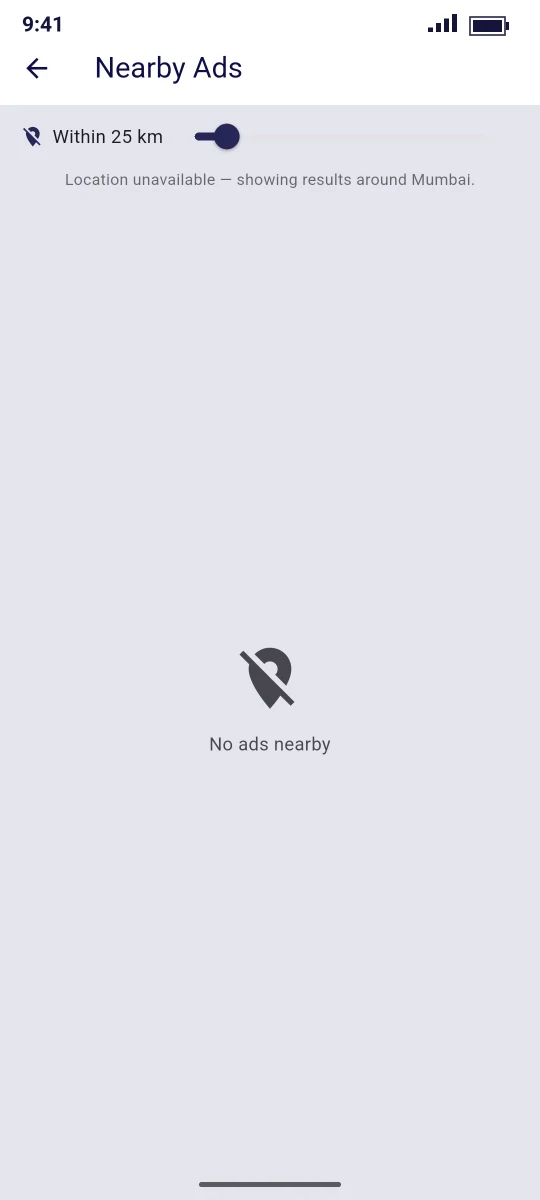
Route /nearby, opened from the location card at the top of Home.
| Element | Behaviour |
|---|---|
| Location icon | Filled when the phone's position is used, crossed out when the fallback point is used |
| Within N km slider | 5–200 km in 5 km steps, default 25 km. The search runs when you release the slider |
| Results | Grid of ad cards with a distance badge (for example 3.4 km). Empty: No ads nearby |
It calls GET /ads/nearby with latitude, longitude and radius. Only ads that have coordinates can appear. When the position cannot be read (permission denied, GPS off) the screen searches around a fixed point and says "Location unavailable — showing results around Mumbai." Change the fallback in nearby_screen.dart (Google Maps & Location).