
Categories
Build the category tree that sellers post into, with icons, translations, the display order, bulk CSV import and the rules for deleting categories.
Admin → Ads Listing → Categories manages the category tree in the Firestore collection categories. A category can have any number of subcategories, and subcategories can have their own children. Sellers always post into a category without children (a leaf), for example Cars & Vehicles › Cars.
Staff need the categories permission to change categories. Pages of other modules (ads, content, chat, packages, custom fields) can still read the list for their drop-downs.
Where categories appear
| Place | What is used |
|---|---|
| Website home and app home | Active main categories (no parent), in sort order, from GET /api/v1/home |
Website category page /category/<slug> and app category screen | The category, its active children and its custom fields (GET /api/v1/categories/<slug>) |
| Post-ad forms (website, app, Admin) | The active tree (GET /api/v1/categories/tree) |
| Search filters | Category drop-down; ads in a subcategory also match the parent category |
| Packages, Feature Sections, Banner Ads, Sliders, Chat Templates | Category pickers in the Admin Panel |
Inactive categories are hidden everywhere on the website and the app. Their ads stay in Firestore.
The list
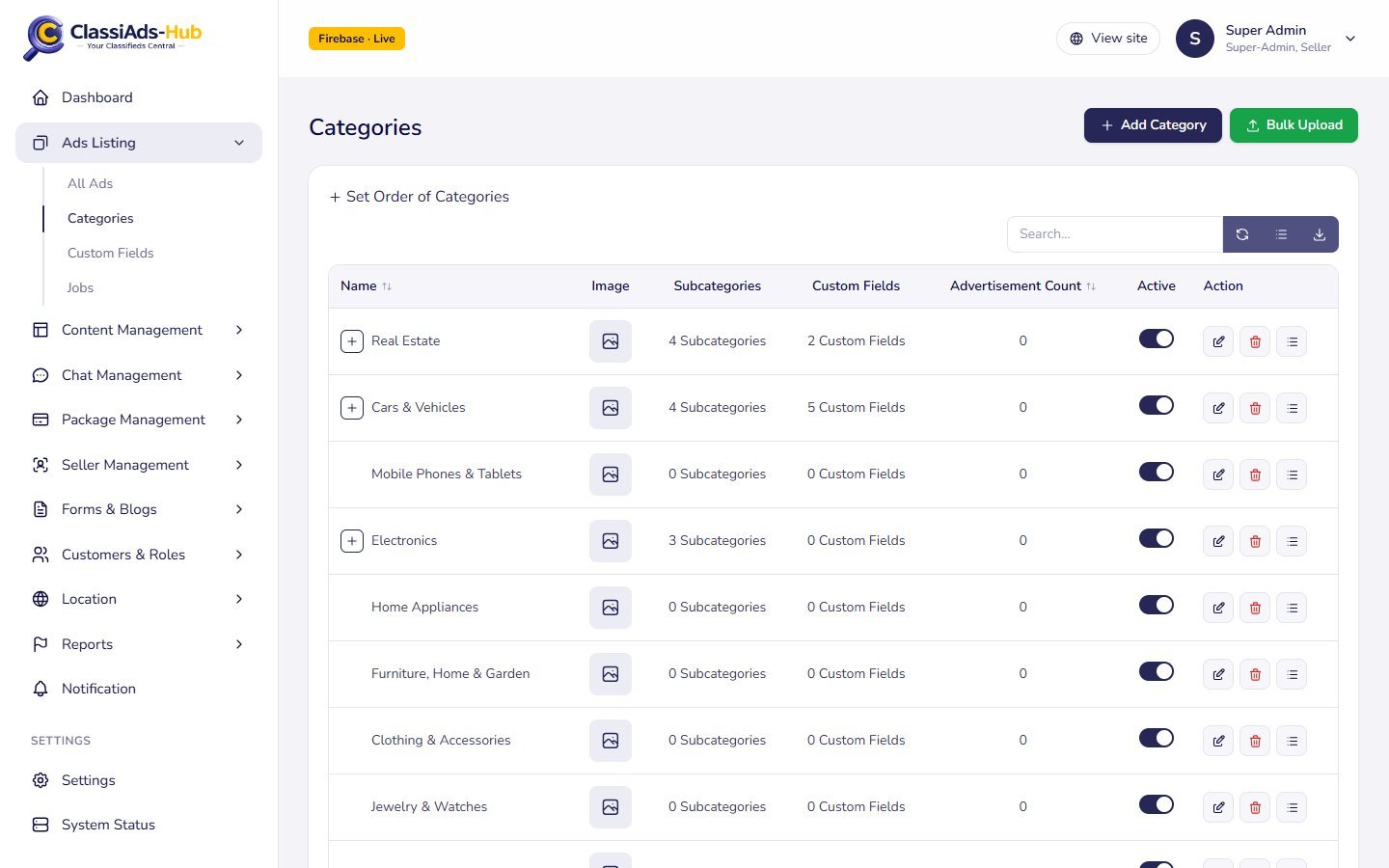
The table shows the tree. Click the + button next to a name to expand its subcategories (it turns into a minus). Typing in the search box shows a flat list of matching names.
| Column | Shows |
|---|---|
| Name | Category name, indented by level |
| Image | The icon (or image) |
| Subcategories | e.g. 4 Subcategories |
| Custom Fields | Number of custom fields assigned directly to this category, e.g. 6 Custom Fields |
| Advertisement Count | The stored ads_count counter (raised when an ad is posted, lowered when an ad is deleted) |
| Active | Toggle: shows or hides the category on the website and the app |
| Action | Edit, Delete, Custom fields (opens Custom Fields filtered to this category) |
Header buttons: Add Category and Bulk Upload. Above the table: Set Order of Categories.
Add or edit a category
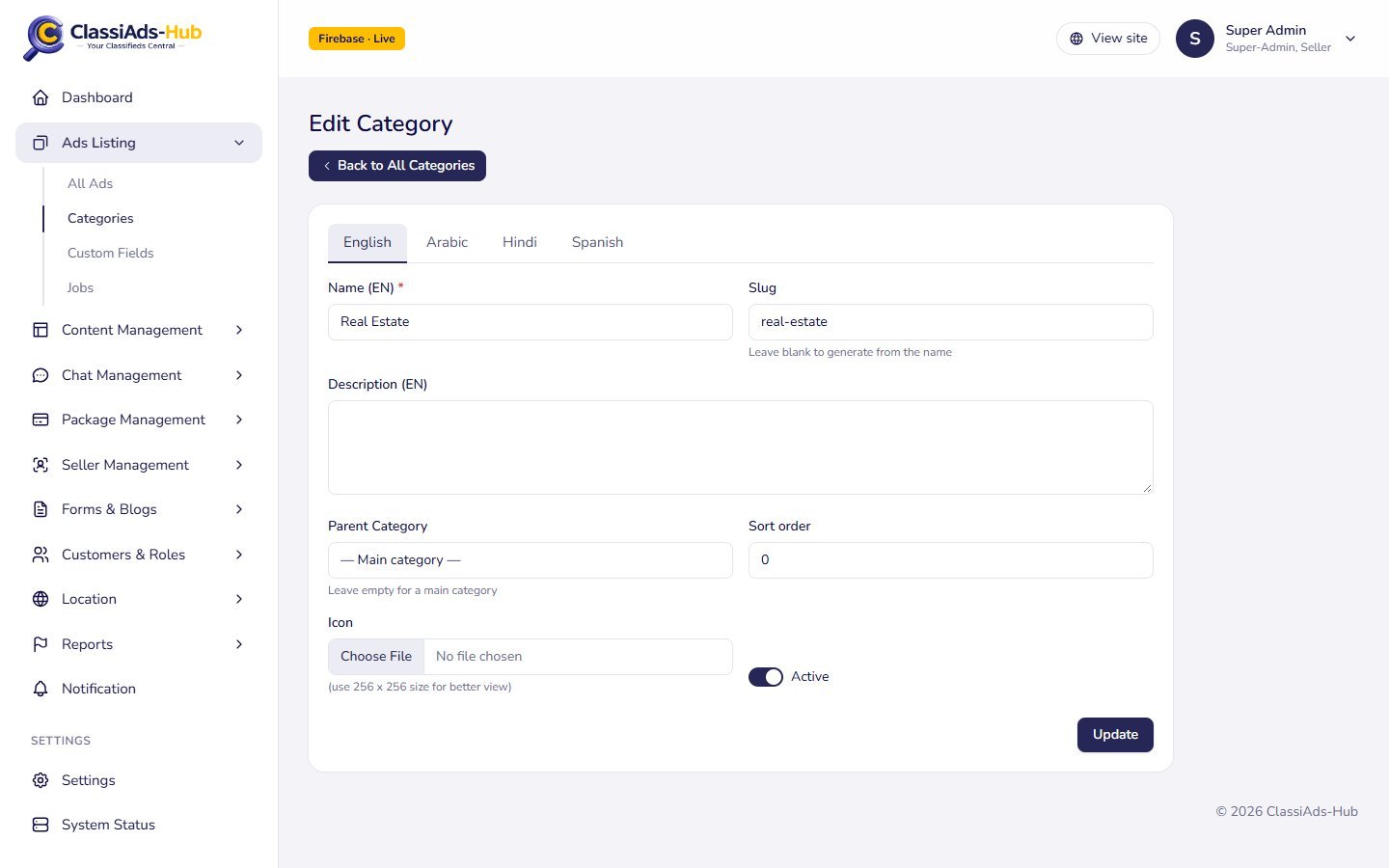
| Field | Notes |
|---|---|
| Language tabs | Shown when more than one language is active. English holds the main values; other tabs hold translations of Name and Description |
| Name (EN) | Required, up to 150 characters |
| Slug | Used in the website URL /category/<slug>. Leave blank to generate from the name. Must be unique |
| Description | Optional text |
| Parent Category | — Main category — for a top-level category, or pick a parent. You cannot move a category under itself or one of its own subcategories |
| Sort order | Number; lower comes first |
| Icon | Image file (JPG, PNG, WebP, GIF or SVG, up to 5 MB). (use 256 x 256 size for better view). Stored in Storage under categories/ |
| Active | On by default |
Click Save (or Update). The API is POST / PUT /api/v1/admin/crud/categories. Saving clears the cached category list, so the website and the app show the change on the next load.
Set the order
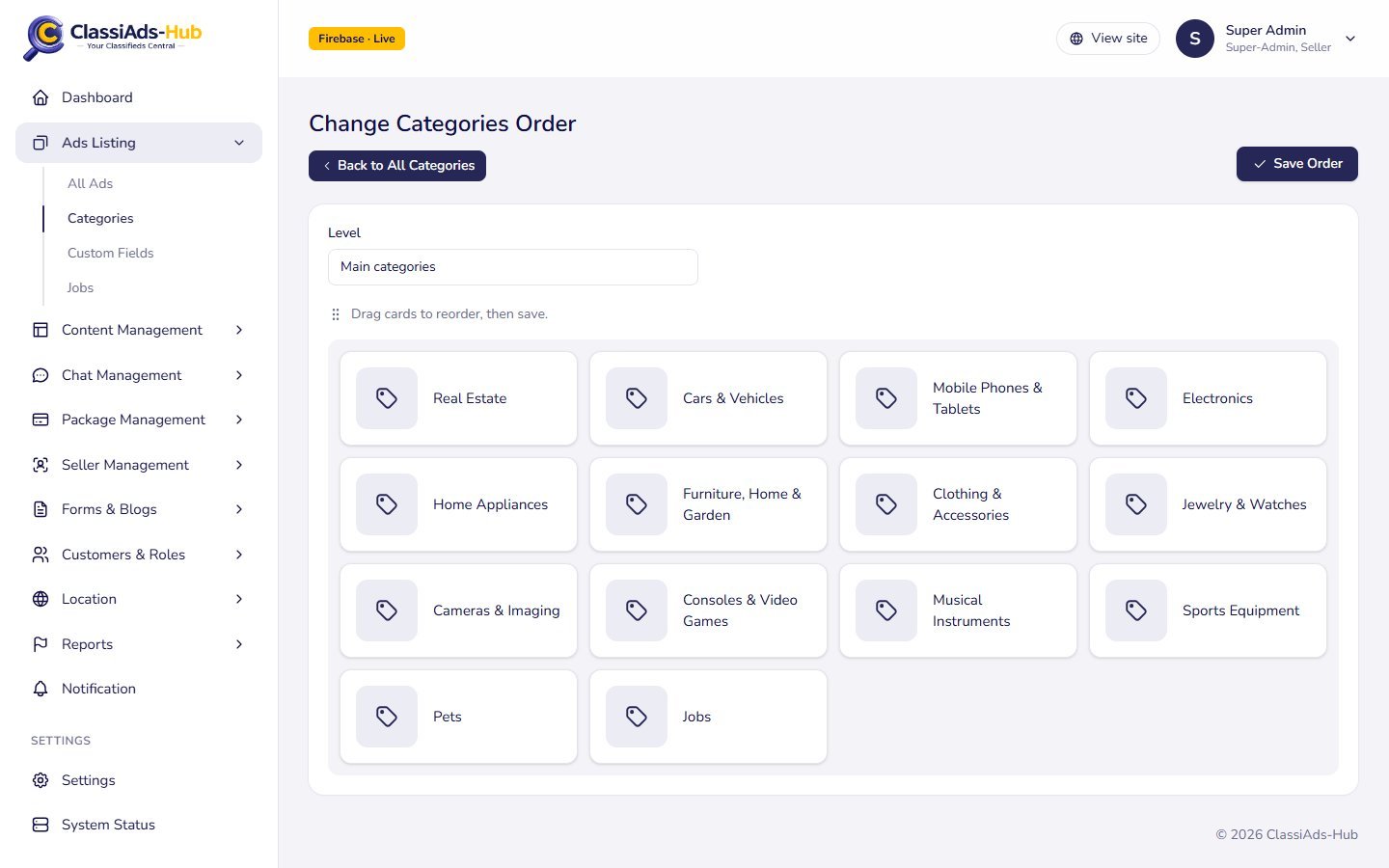
Set Order of Categories opens Change Categories Order.
Choose the level
The Level drop-down shows Main categories or Subcategories of <name>.
Drag the cards
Drag cards to reorder, then save.
Save
Click Save Order. The API writes
sort_order0, 1, 2 … in the new order (POST /api/v1/admin/crud/categories/reorder).
Bulk upload (CSV)
Bulk Upload opens Bulk Upload Categories.
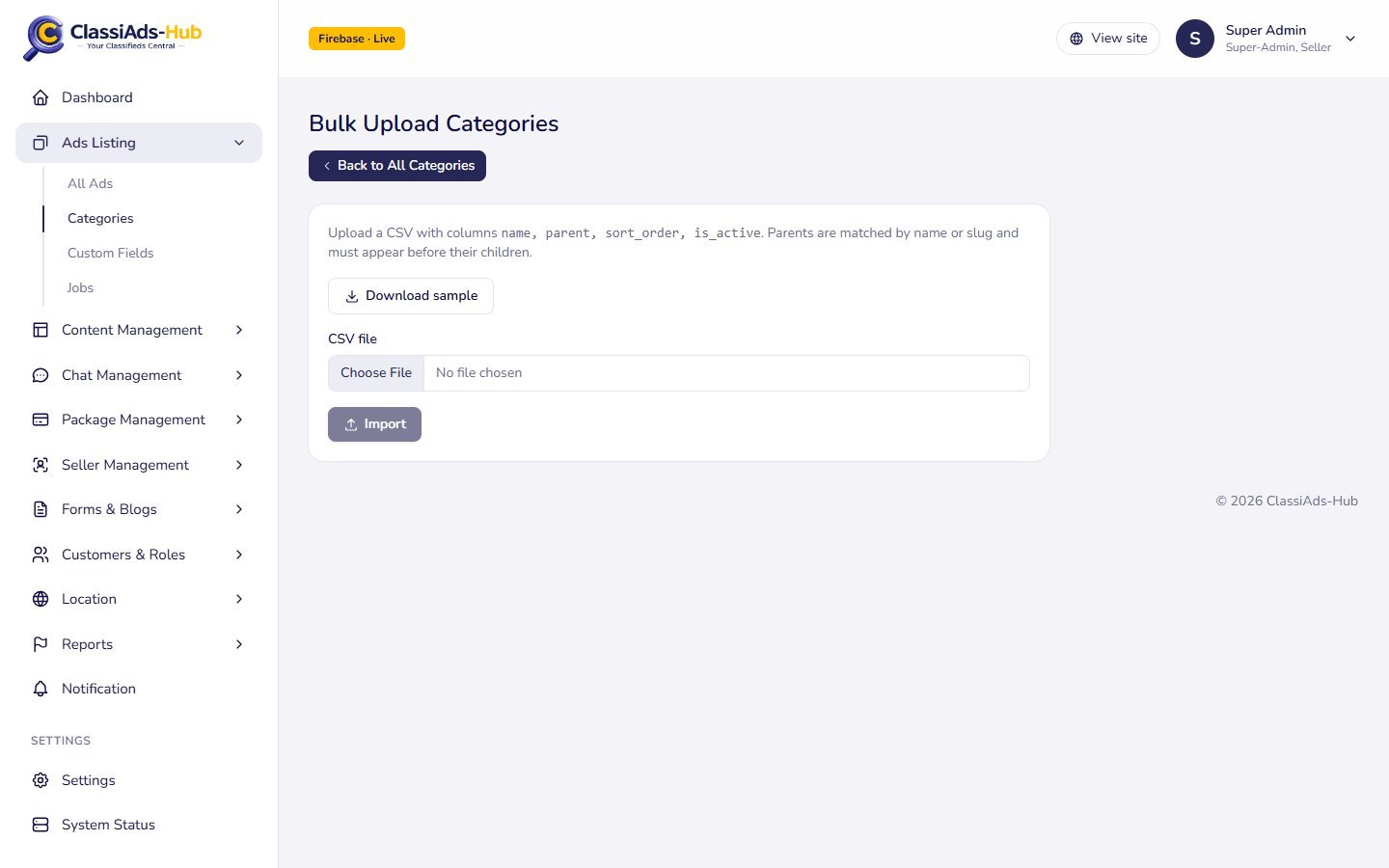
The CSV needs the header name, parent, sort_order, is_active. Download sample gives you:
name,parent,sort_order,is_active
Electronics,,0,1
Laptops,Electronics,1,1parentis matched by name or slug against existing categories and rows imported earlier in the same file, so list parents before their children.is_active0creates the category inactive; anything else (or empty) creates it active.- Click Import. Each row is created one by one and the log shows
✔ Laptopsor✘ Laptops: <error>(for example a duplicate slug).
Icons are not part of the CSV. Add them afterwards with Edit.
Delete a category
Delete asks Delete "<name>"?. The server refuses when:
- the category still has subcategories: "<name>": delete or move the subcategories first.
- ads still use the category: "<name>" still has advertisements.
Move or delete the ads (or switch the category Active off) first. Deleting also removes the icon file from Storage.
Next: Custom Fields →