
Delivery Zones
Draw the areas you deliver to and set delivery time, delivery charges, minimum order and surge pricing per zone.
A zone is a delivery area drawn on the map — usually a city or part of a city. When a customer opens the app, QwikMart checks which zone their location falls into (detectZone) and shows that zone's store, products, prices and home layout.
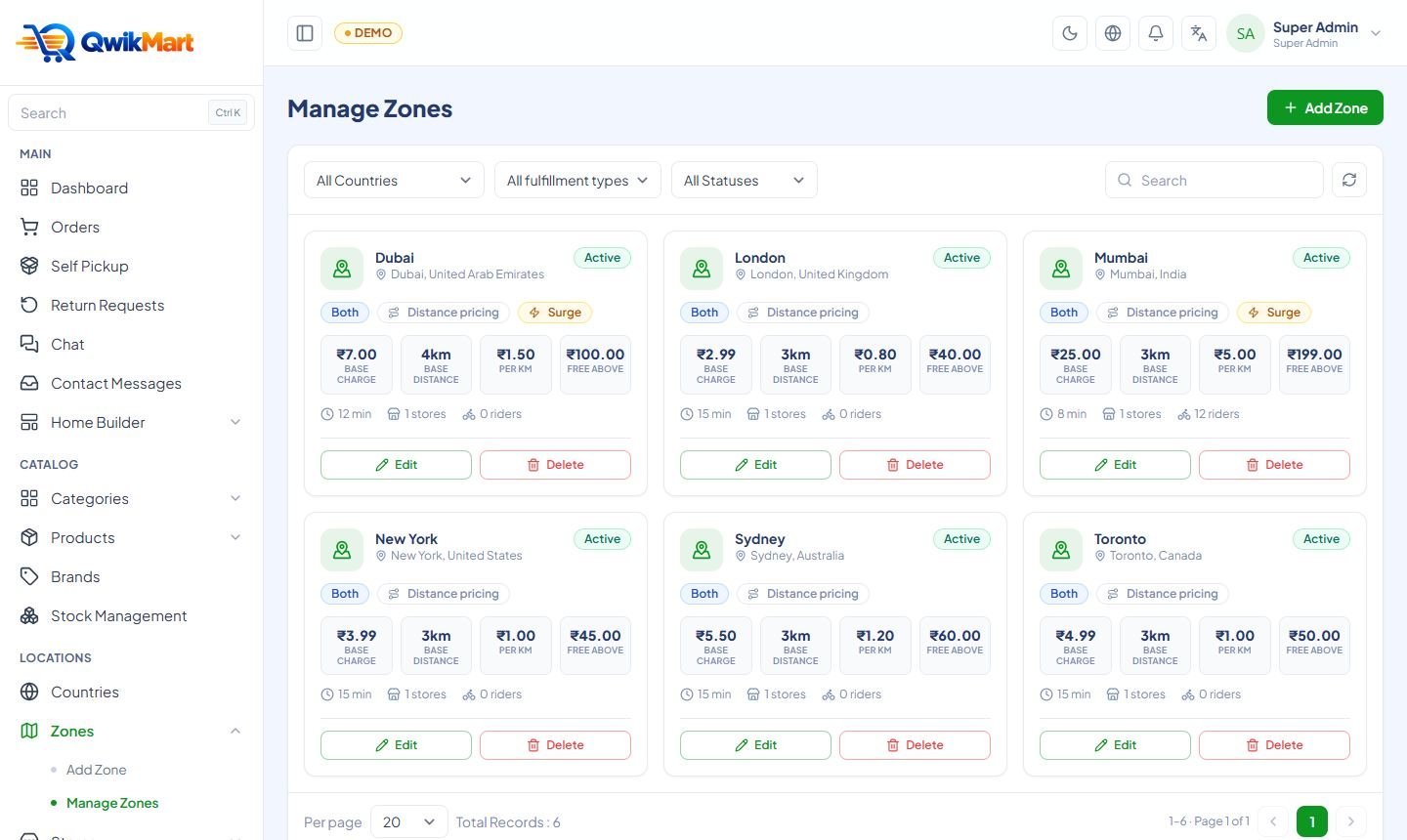
Create a zone
Admin → Zones → Add Zone
Basic details
Name (e.g. Mumbai), country, city and status.
Draw the area
Use the polygon tool on the map (OpenStreetMap, no API key needed) to draw the boundary. Click the first point again to close the shape. Customers outside every zone see "We don't deliver here yet".
Fulfilment type
Quick (10–30 minute delivery from a nearby store), eCommerce (1–4 day delivery) or both.
Delivery time
The promise shown in the app header, e.g. Delivery in 15 minutes.
Delivery charges
Set how the delivery fee is calculated (see the table below).
Default store
After you create a store in this zone, come back and choose it as the default store — it fulfils quick orders when no other store is selected.
Delivery charge settings
| Field | Example | Meaning |
|---|---|---|
| Base charge | ₹20 | Fee for the first base distance |
| Base distance (km) | 2 | Distance included in the base charge |
| Per-km charge | ₹8 | Added for every km beyond the base distance (store → customer) |
| Free delivery above | ₹499 | Cart value above which delivery is free (leave empty to disable) |
| Minimum order | ₹99 | Orders below this value cannot be placed |
| Surge slots | 19:00–22:00 → +₹15 | Extra fee during busy hours (zone timezone) |
| Additional charges | Handling fee ₹5, Small cart fee ₹15 | Extra lines on the bill; mark them refundable or not |
The cart total, delivery fee, surge, coupons and taxes are always calculated on the server (cartSummary), so customers can never tamper with prices.
Several zones in one city
Overlapping zones are allowed but confusing — draw neighbouring zones edge to edge. Each zone can have its own store, prices (through store stock overrides), home layout and delivery rules.
Next: Stores →