
Email Templates
The six transactional e-mail templates (booking completed, refer & earn, welcome, wallet top-up, withdrawal approved and requested), their variables, and the SMTP settings page.
Admin → Growth → Email templates ("Transactional emails sent by the platform") holds the subject and body of each platform e-mail. You edit the wording; you can't add or delete templates.
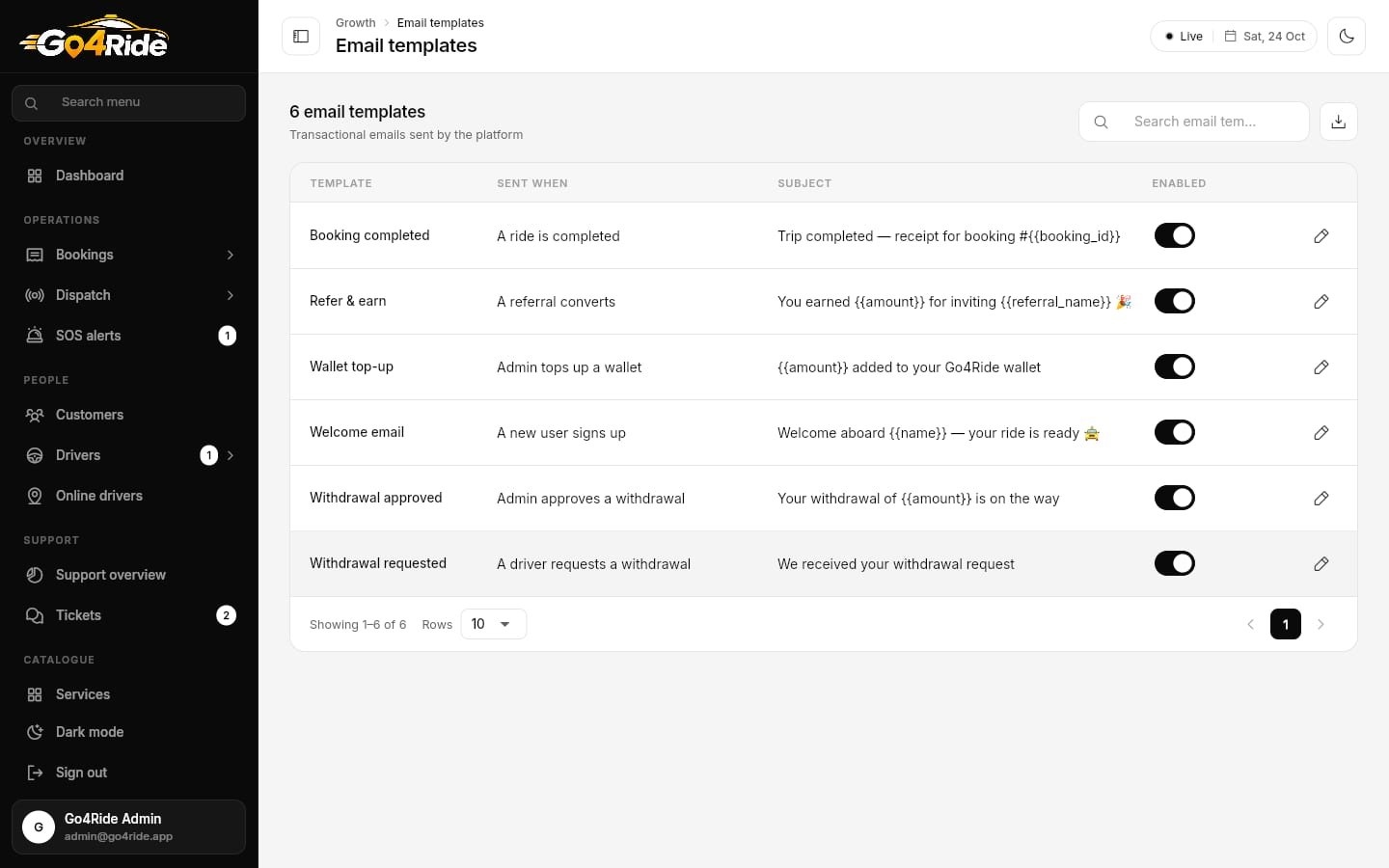
Templates live in email_templates, one document per template id.
Load the templates
On an empty page click Load 6 defaults:
| Id | Template | Sent when | Variables |
|---|---|---|---|
booking_completed | Booking completed | A ride is completed | name, booking_id, pickup_location, drop_location, booking_time, driver_name, vehicle_number, total_fare, support_email |
refer_earn | Refer & earn | A referral converts | name, amount, referral_name, support_email |
welcome | Welcome email | A new user signs up | name, support_email |
wallet_topup | Wallet top-up | Admin tops up a wallet | name, amount, balance, transaction_id, support_email |
withdrawal_approved | Withdrawal approved | Admin approves a withdrawal | name, amount, transaction_id, support_email |
withdrawal_requested | Withdrawal requested | A driver requests a withdrawal | name, amount, transaction_id |
Table
| Column | Shows |
|---|---|
| Template | Name (read-only) |
| Sent when | Trigger description (read-only) |
| Subject | Current subject line |
| Enabled | Inline switch |
Edit a template
| Field | Notes |
|---|---|
| Template, Sent when | Read-only |
| Subject | Required, e.g. Trip completed — receipt for booking #{{booking_id}} |
| Body | Required, plain text. "Use the {{variables}} listed below." |
| Variables | Read-only list of the placeholders this template supports |
| Enabled | Off = don't send this e-mail |
Write placeholders with double braces: Hi {{name}}, your trip from {{pickup_location}} to {{drop_location}} is complete. Total fare: {{total_fare}}.
SMTP settings
Settings → Integrations → SMTP ("Outgoing mail server used for email templates.") saves to secure_settings/smtp, which only admins and Cloud Functions can read.
| Field | Default / example |
|---|---|
| SMTP host | smtp.gmail.com |
| Port | 465 |
| Username | noreply@yourcompany.com |
| Password | Masked. For Gmail use an app password |
| Encryption | SSL / TLS / None (SSL for 465, TLS for 587) |
| From name | Go4Ride |
| From email | noreply@yourcompany.com |
Any SMTP provider works: Google Workspace, Zoho, Amazon SES, Brevo, SendGrid or Mailgun.
Next: Achievement Badges →