
Ad Details & Sellers
The ad page (gallery, specifications, chat, offers, favourites, reporting) and the public seller profile with follow and reviews.
Ad page
/ad/<slug> (src/app/ad/[slug]/view.tsx) calls GET /ads/<slug> and GET /ads/<slug>/related.
Who can open it
| Ad status | Visible to |
|---|---|
approved | Everyone. Each open adds 1 to views_count |
pending, rejected, draft, sold, expired | Only the owner and staff. Others see Listing not found |
The API accepts the slug or the numeric id, so /ad/123 also works.
Left column
| Block | Content |
|---|---|
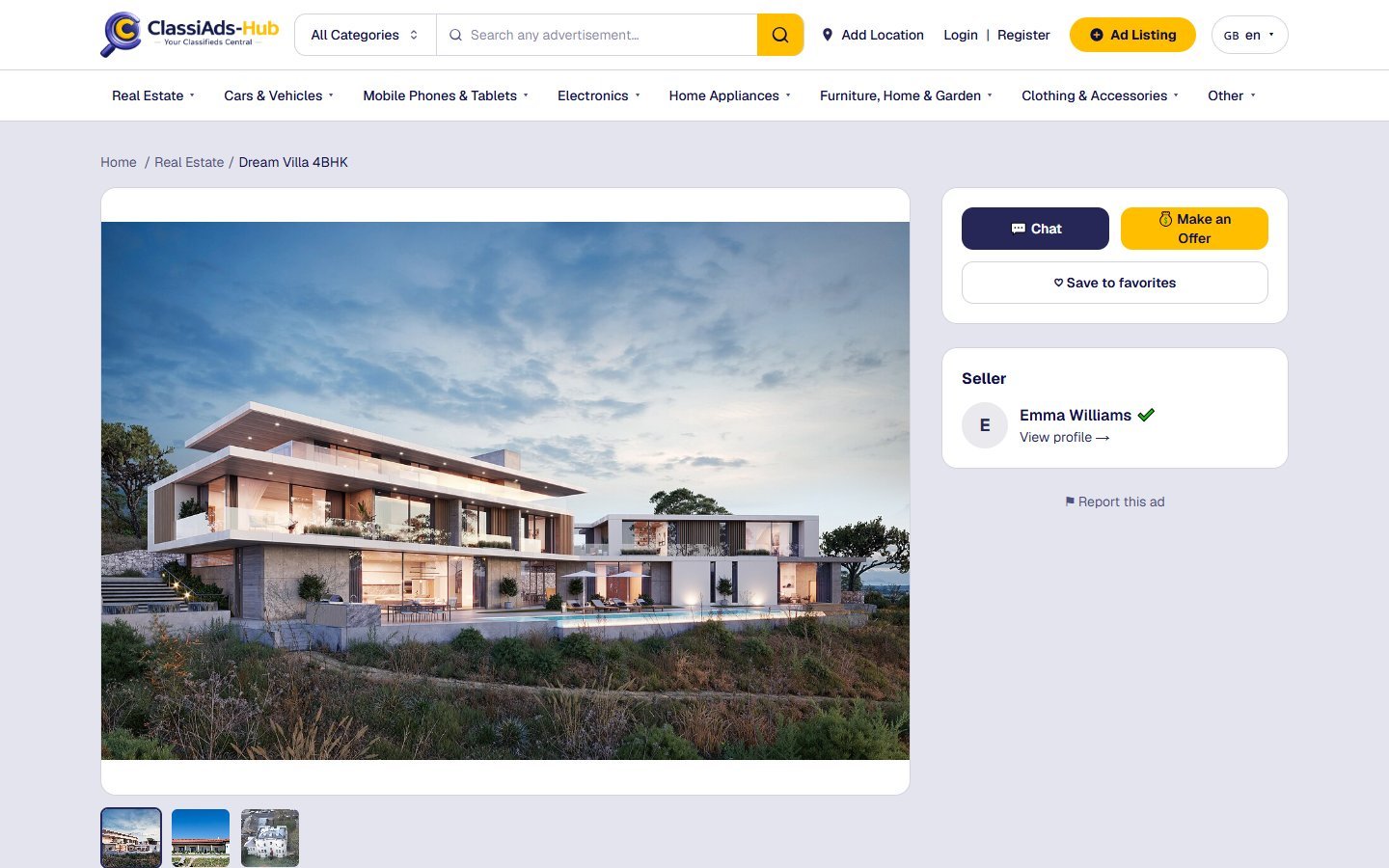
| Breadcrumb | Home / Category / Ad title |
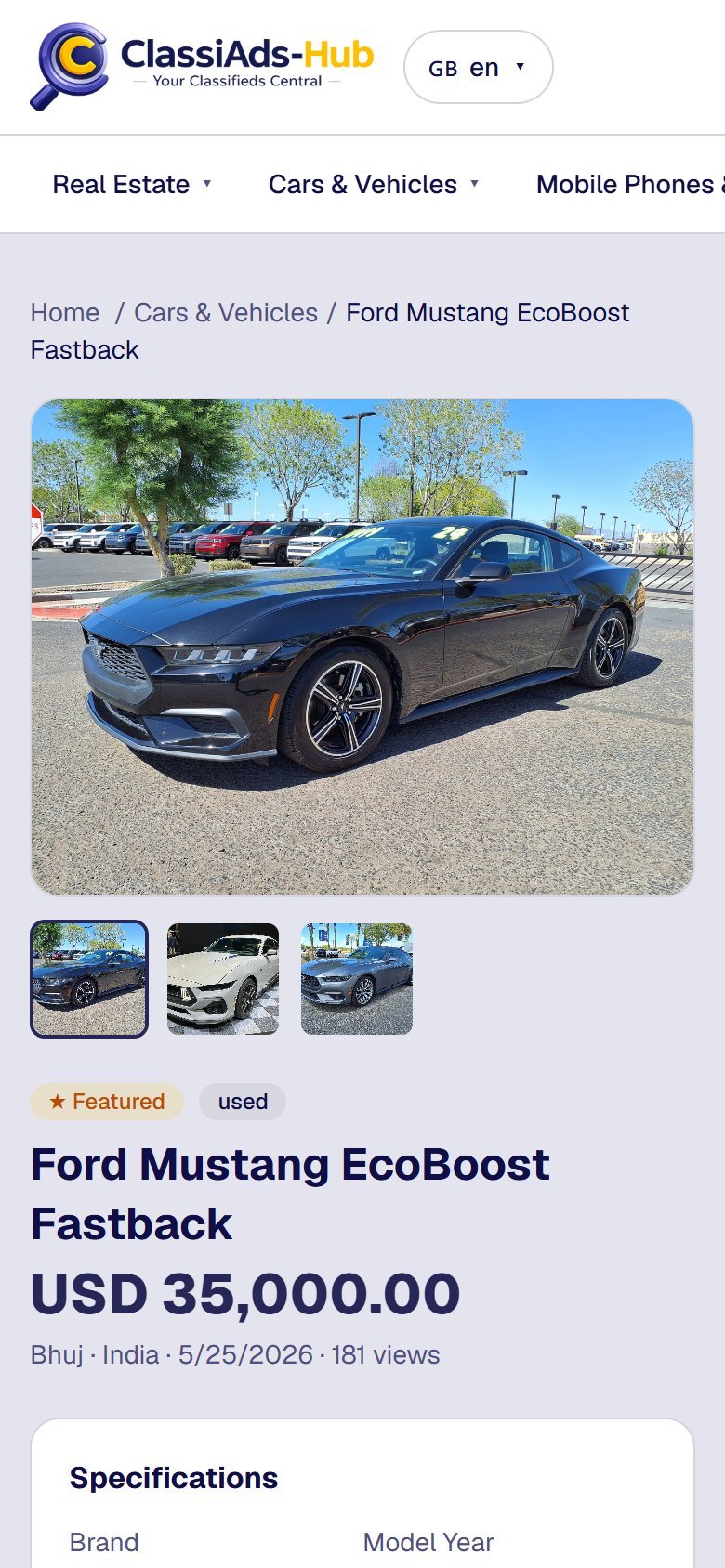
| Gallery | Large image (4:3, contained) and a thumbnail strip when there are 2+ images. Click a thumbnail to switch. No images → a placeholder icon |
| Badges | ★ Featured, the condition (new / used / refurbished), red Sold when sold |
| Title and price | price_display in large navy text |
| Meta line | City · Country · time since publishing · N views |
| Specifications | Every custom-field value of the ad as name: value (only when the ad has any) |
| Description | Full text, line breaks kept |
Right column
| Block | Content |
|---|---|
| 💬 Chat | Starts or reopens the conversation with the seller |
| 💰 Make an Offer | Sends a price offer |
| ♡ Save to favorites / ♥ Saved | Toggles the favourite |
| Seller | Avatar, name, green check when verified, View profile → (opens /seller/<id>) |
| ⚑ Report this ad | Opens the report form |
Below both columns: Related Listings — up to 10 newest approved ads from the same category.
All actions need a signed-in user. A visitor who clicks one is sent to /login?next=/ad/<slug> and comes back after logging in.
Chat
Chat calls POST /conversations with { ad_id }. The API finds or creates the conversation between this buyer and the ad's seller, then the website opens /dashboard/chat?c=<conversationId>. A seller cannot chat on their own ad (You cannot start a conversation on your own ad.). See User Dashboard.
Make an Offer
The browser asks Enter your offer amount:. The amount is in major units (e.g. 250).
POST /offerswith{ ad_id, amount }.- The API creates an
offersdocument (status: pending), posts a "USD 250.00 offered" message in the conversation, and notifies the seller (New offer). - The page shows Offer sent!
The seller answers offers in the Mobile App chat (POST /offers/<id>/accept, /reject, /counter). The website chat shows offer messages as text but has no accept / reject buttons.
Favourites
POST /ads/<id>/favorite toggles a document favorites/<userId>_<adId> and updates the ad's favorites_count. Saved ads are listed in Dashboard → Favorites.
Report this ad
Clicking ⚑ Report this ad loads the reasons from GET /report-reasons (Admin → Reports → Report Reasons) and opens an inline form:
| Field | Notes |
|---|---|
| Reason | Required. The admin reasons plus Other |
| Additional details (optional) | Free text, up to 2000 characters |
Submit report calls POST /reports with { type: "ad", id, reason, details }. The same user reporting the same ad again while a report is still open does not create a duplicate. Reports appear in Admin → Reports → User Reports (Report Reasons & User Reports).
Structured data
The page adds a schema.org Product JSON-LD block (name, description, images, category, offer price, currency, InStock or SoldOut, URL). See SEO & Sitemap.
Seller profile
/seller/<id> calls GET /sellers/<id>, GET /sellers/<id>/ads and GET /sellers/<id>/reviews.
| Block | Content |
|---|---|
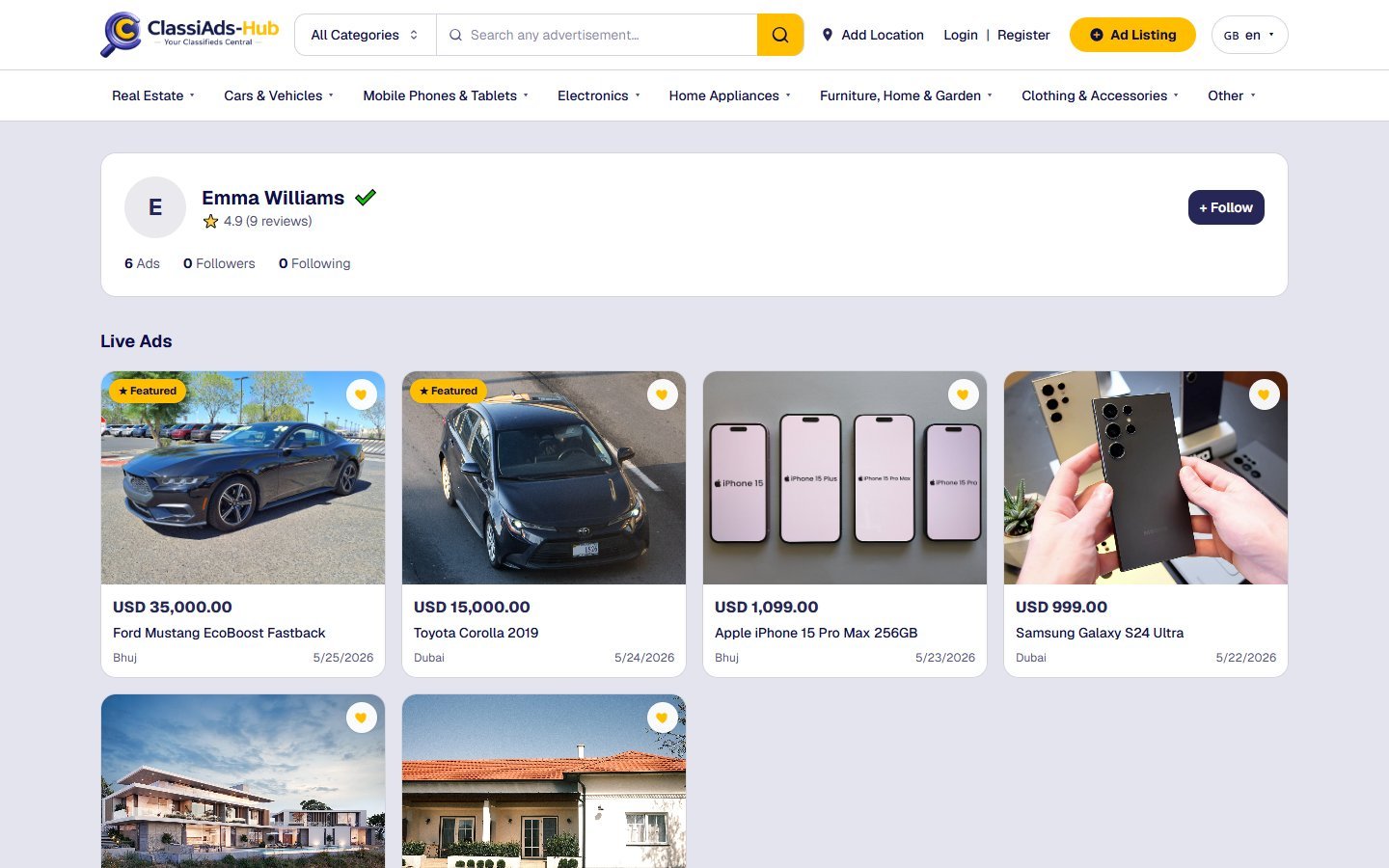
| Header card | Avatar, name, verified check, ⭐ 4.9 (9 reviews) |
| Counters | Ads (live ads), Followers, Following |
| + Follow / Following | Toggle follow |
| Live Ads | The seller's approved ads as cards |
| Ratings & Reviews | Each review: reviewer name, stars, comment, time ago. ★ Write a review button |
Follow
POST /sellers/<id>/follow toggles a follows/<followerId>_<sellerId> document. On follow, the seller gets a New follower notification. You cannot follow yourself.
Write a review
★ Write a review is shown to signed-in users on profiles other than their own. The form has 1–5 stars (default 5) and Share your experience (optional).
POST /reviews with { reviewee_id, rating, comment, type: "seller_review" }. Rules enforced by the API:
- The reviewer must have a conversation with this seller as the buyer, or a confirmed purchase (
ad_sales). Otherwise: You can only review sellers you have interacted with. - One review per reviewer, seller and ad. Sending again updates the existing review.
- The seller's average rating is recalculated and the seller gets a New review notification.
Reviews are managed in Admin → Seller Management → Seller Review (Seller Reviews & Reports).
Next: Posting & Managing Ads →