
Email Templates & SMTP
Manage the email templates (code, subject, HTML body, variables) and what you need to add to actually send email, since the backend has no SMTP or email provider built in.
Admin → Settings → Email Templates stores the text of the emails your platform sends. Data: the Firestore email_templates collection (/admin/crud/email_templates).
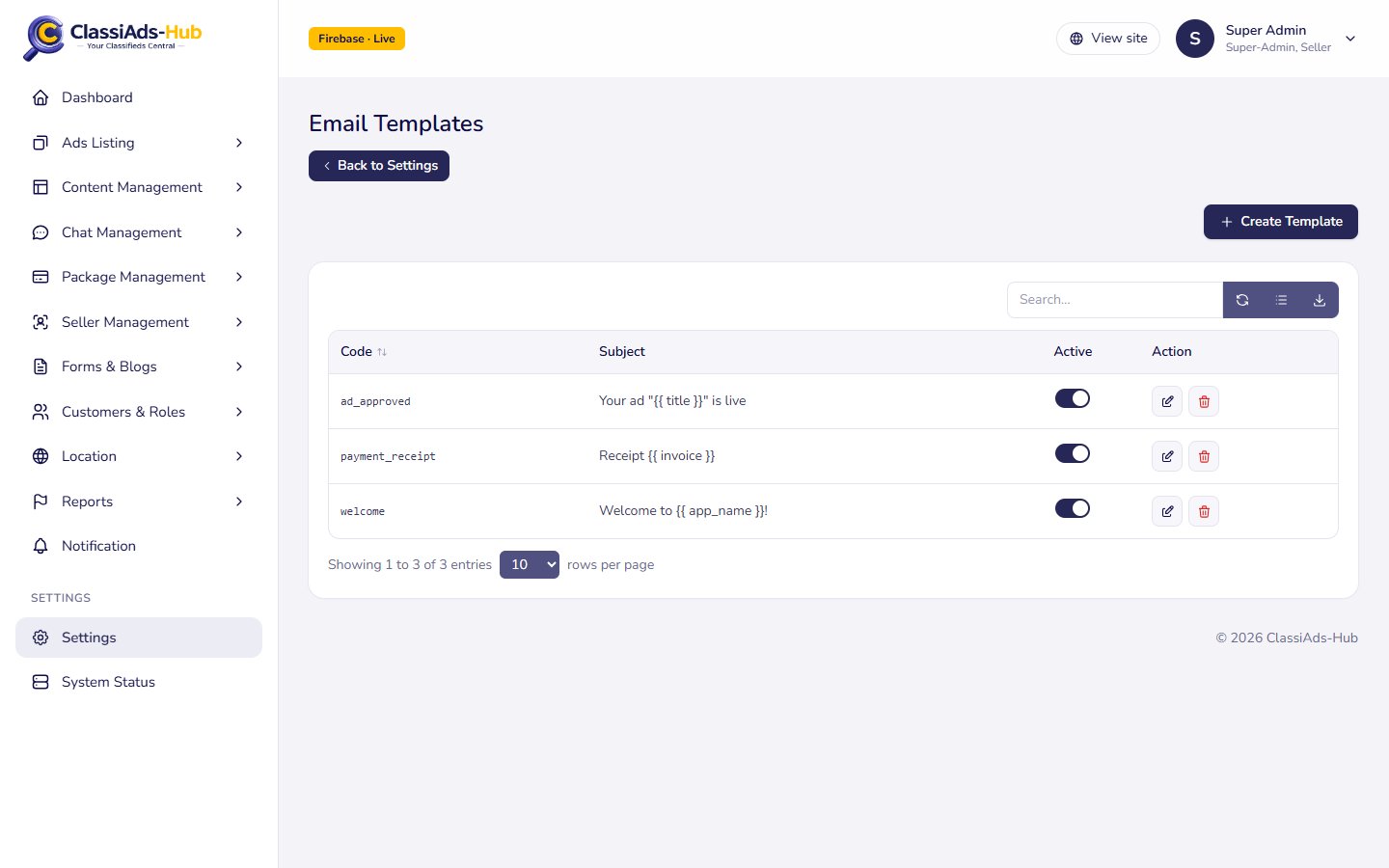
The list
| Column | Shows |
|---|---|
| Code | Template code, e.g. welcome (sortable) |
| Subject | Subject line, e.g. Welcome to {{ app_name }}! |
| Active | Toggle |
| Action | Edit, Delete |
Search... covers code and subject. Export CSV downloads email_templates.csv. Templates are sorted by code.
Create or edit a template
Click Create Template:
| Field | Notes |
|---|---|
| Code | Required and unique, e.g. welcome. Your sending code looks the template up by this |
| Subject | Required. May contain placeholders |
| Body | Required. Rich-text editor; saved as HTML (body_html) |
| Variables | Tags. "Placeholders available in this template, e.g. name, link". A note for editors; it does not change the template |
Placeholders use the {{ name }} style shown in the demo templates. Replacing them is up to your sending code.
Add email sending
The simplest option on Firebase is the official Trigger Email from Firestore extension, or a small function that calls your provider (SMTP, SendGrid, Mailgun, Amazon SES…).
Pick a provider and keep its key secret
Store the SMTP password or API key in Secret Manager, for example
firebase functions:secrets:set SMTP_PASSWORD. Do not put it infunctions/.envor in the Admin Panel.Write a helper
Add a function such as
sendTemplate(code, to, vars)infunctions/src/lib/. It readsemail_templateswherecode == …andis_active != false, replaces{{ key }}insubjectandbody_htmlwithvars, and sends the email. Checksetting("notifications", "email_enabled")first so the admin switch works.Call it where you need email
Good places are next to the existing
notify()calls: ad approved (functions/src/routes/admin/index.ts), payment completed (fulfil()infunctions/src/routes/billing.ts), and OTP delivery for theemailchannel (sendOtp()infunctions/src/lib/otp.ts, see OTP delivery).Deploy
Add the secret to the function's
secretslist and redeploy the functions (see Deploy the Backend).
Next: Firebase Settings →