
Roles, Staff & Permissions
Create custom roles with per-module access, add staff accounts that sign in to the Admin Panel, and understand how the API enforces permissions.
The Admin Panel has three kinds of back-office accounts:
| Account | Roles stored on the user | Access |
|---|---|---|
| Super admin | super-admin | Everything. Cannot be edited by other admins, suspended or removed |
| Admin | admin | Everything (all modules) |
| Staff | staff + one custom role, e.g. ["staff", "Moderator"] | Only the modules the role grants, plus the Dashboard |
Customers and sellers (customer, seller) cannot open the Admin Panel. The first super admin is created during installation (see Create the First Admin).
Modules
A role is a list of modules. Each module unlocks a part of the sidebar and the matching API routes.
| Module (checkbox label) | Key | Sidebar items |
|---|---|---|
| Dashboard | dashboard | Dashboard (always granted) |
| Ads & Jobs | ads | Ads Listing → All Ads, Jobs |
| Categories | categories | Ads Listing → Categories |
| Custom Fields | custom_fields | Ads Listing → Custom Fields |
| Content Management | content | Slider, Home Screen, Feature Section, Offer Item Tips, Banner Ads |
| Chat Management | chat | Chats, Chat Templates |
| Packages | packages | Subscription Packages, Featured Ad Plans, User Subscriptions |
| Transactions | transactions | Payment Transactions, Bank Transfer |
| Seller Management | sellers | Verification Fields, Seller Verification, Seller Review, Seller Review Report |
| Forms & Blogs | blogs | Blogs, Blog Category, FAQs (and the AI draft button) |
| Customers | customers | Customers, User Queries |
| Roles | roles | Role |
| Staff | staff | Staff Management |
| Locations | locations | Currencies, Countries, States, Cities, Areas |
| Reports | reports | Report Reasons, User Reports |
| Notifications | notifications | Notification |
| Settings | settings | Settings, System Status, Payment Gateways, Languages, File Manager, Log Viewer… |
Some pages need data from another module as a lookup. Staff can read (GET only) that data without being able to change it. For example, a role with Content Management can list categories and approved ads for the Slider page; a role with Customers can list packages for Assign package; a role with Notifications can list users and ads.
The Home Screen settings (settings/home) are guarded by Content Management, not Settings.
Role
Admin → Customers & Roles → Role (page title Role Management). Data: the roles collection.
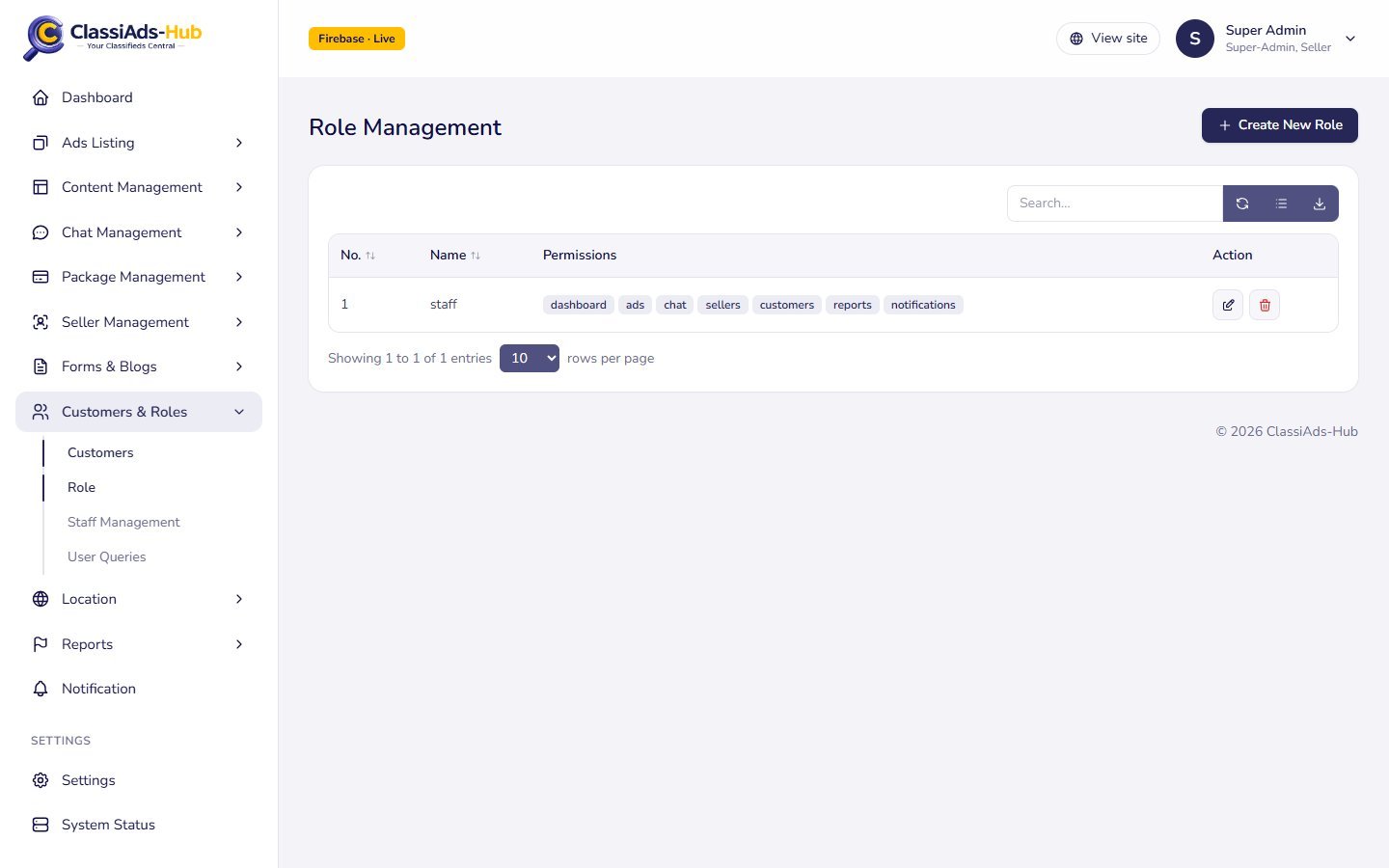
| Column | Shows |
|---|---|
| No. | Role id |
| Name | Role name |
| Permissions | One badge per granted module |
| Action | Edit, Delete |
Click Create New Role:
| Field | Notes |
|---|---|
| Role name | Required and unique. "Assign this role to staff in Staff Management" |
| Module access | One checkbox per module (table above). Dashboard is ticked by default |
Role definitions are cached by each API instance for about 30 seconds, so a change can take that long to apply everywhere.
Staff Management
Admin → Customers & Roles → Staff Management lists every account with staff, admin or super-admin.
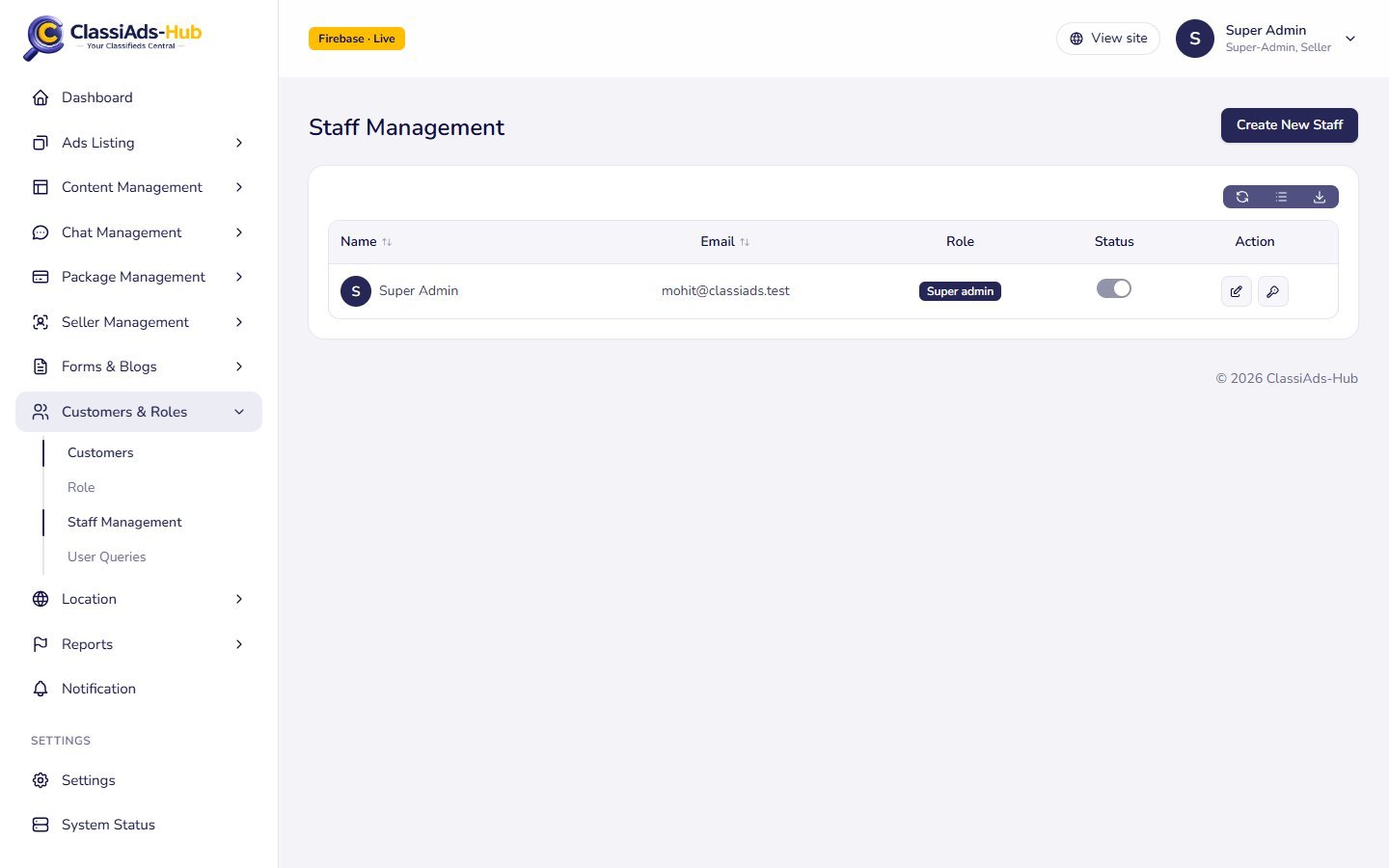
| Column | Shows |
|---|---|
| Name | Avatar, name, email |
| Role | Super admin, Admin or the custom role name |
| Status | Toggle active / suspended. Disabled for super admins and for yourself |
| Action | Edit, Change password, Remove |
Create a staff member
Click Create New Staff:
| Field | Notes |
|---|---|
| Name | Required |
| Required, must not already exist ("The email has already been taken.") | |
| Password | Required, at least 8 characters |
| Role | Administrator (full access) (only shown to admins) or any custom role |
| Status | Active or Suspended |
Click Save. The API (POST /admin/staff) creates the Firestore user (verified, login_type: email) and a Firebase Auth account with the same email and password. The person signs in at your Admin Panel URL, for example https://admin.yourcompany.com.
Edit, change password, suspend
- Edit / Change password open the same dialog. New password (optional) changes the Firebase Auth password when filled.
- Changing Role updates the user's roles (not possible for a super admin).
- Status off disables the Firebase Auth account.
Remove
Confirm "Remove {name} from staff? Their admin access is revoked."
- Accounts that were only staff (no
customer/sellerrole and no ads) are deleted from Firestore and Firebase Auth. - Accounts that are also customers or sellers keep their marketplace account; they just lose the admin roles and are signed out.
You cannot remove yourself or a super admin. Removals are logged as staff.removed.
How permissions are enforced
The sidebar hides modules you do not have (components/shell.tsx), but the real check is in the API. Every /admin/* route requires a signed-in user with admin, super-admin or staff, and then the module guard in functions/src/routes/admin/guard.ts:
export const can = (module: Module, readBy: readonly Module[] = []) => ...
// admins pass; staff need the module (or a readBy module for GET requests)
A staff member who calls a route without the module gets 403 "You do not have permission to perform this action." The Admin Panel loads the user's modules from GET /admin/me.
Next: Push Notifications →